If your AI answers property questions, it needs approved facts, permissions, and assets first. Use this brief to prevent invented amenities, prices, and availability.
PropBot Studio builds AI-assisted intake and follow-up around approved sources, visible owners, and stop conditions. The fastest way to keep that promise is a short property-content brief completed before any chatbot, voice agent, or automated follow-up is turned on. This guide gives you that brief. All examples below are hypothetical illustrations, not real listings.
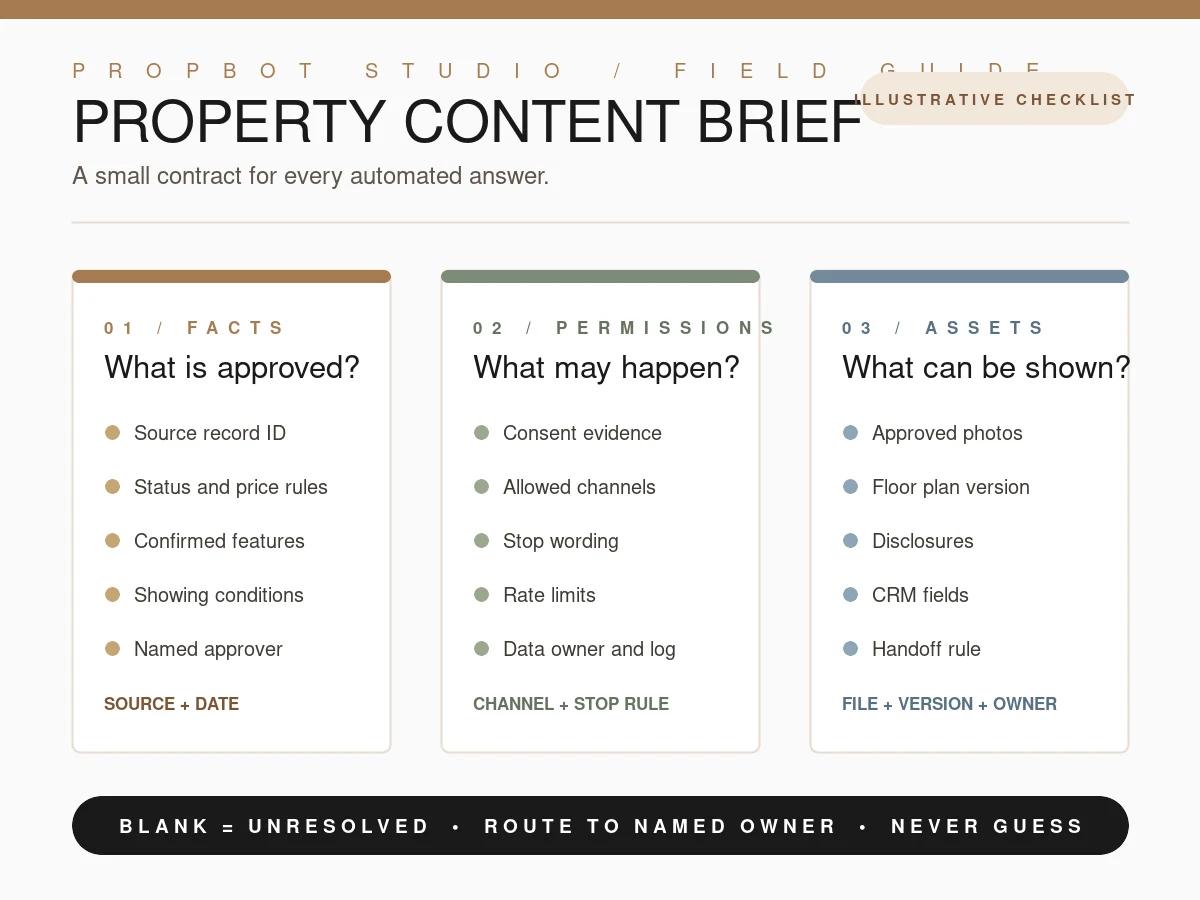
Keep the boundary visible
- Every repeatable property claim needs a current approved source and a named owner.
- Every outreach channel needs evidence of permission and a clear stop condition.
- Every image, floor plan, and CRM field needs a version, owner, or handoff rule.
- If a field is blank, the answer is unresolved. It is not an invitation to guess.
1. Why a brief matters
Automated replies fail when facts, availability, and permission live in different places. The site principle is direct: property facts, availability and status must come from a current approved source. Missing information remains unresolved. A brief makes that operational. It names the source for every claim your automation may repeat, and it tells the system what to say when the answer is not approved.
This is less about adding paperwork than about making a boundary legible. A person can notice that a price is missing and ask the owner. A fast reply system needs the same instruction written down before it answers. The brief also gives the person who reviews the handoff a compact record: what was known, what was allowed, what was shown, and what still needs confirmation.
2. The reusable checklist
Copy the three sections below for each property. Keep the source and its verification date beside the field, not in a separate document that the person designing the flow cannot see. The goal is a small, reviewable contract that can travel with the listing record.
Facts
- Property identifier or source record ID.
- Approved source and last verified date.
- Status, price, and terms the system may state.
- Beds, baths, area, and features only when confirmed.
- Showing rules and the named human approver.
Permissions
- Consent and channel opt-in evidence.
- Allowed channel: email, SMS, or another reviewed route.
- Opt-out wording, rate limits, and stop conditions.
- Messages that require owner review before sending.
- Data owner and location of the permission log.
Assets
- Approved photo filenames and capture dates.
- Floor plan and disclosure versions.
- CRM fields for source, permission, qualification, and property evidence.
- Showing request, ownership, escalation, and follow-up stop fields.
- Handoff rule for a missing or disputed asset.
3. Hypothetical example — clearly illustrative only
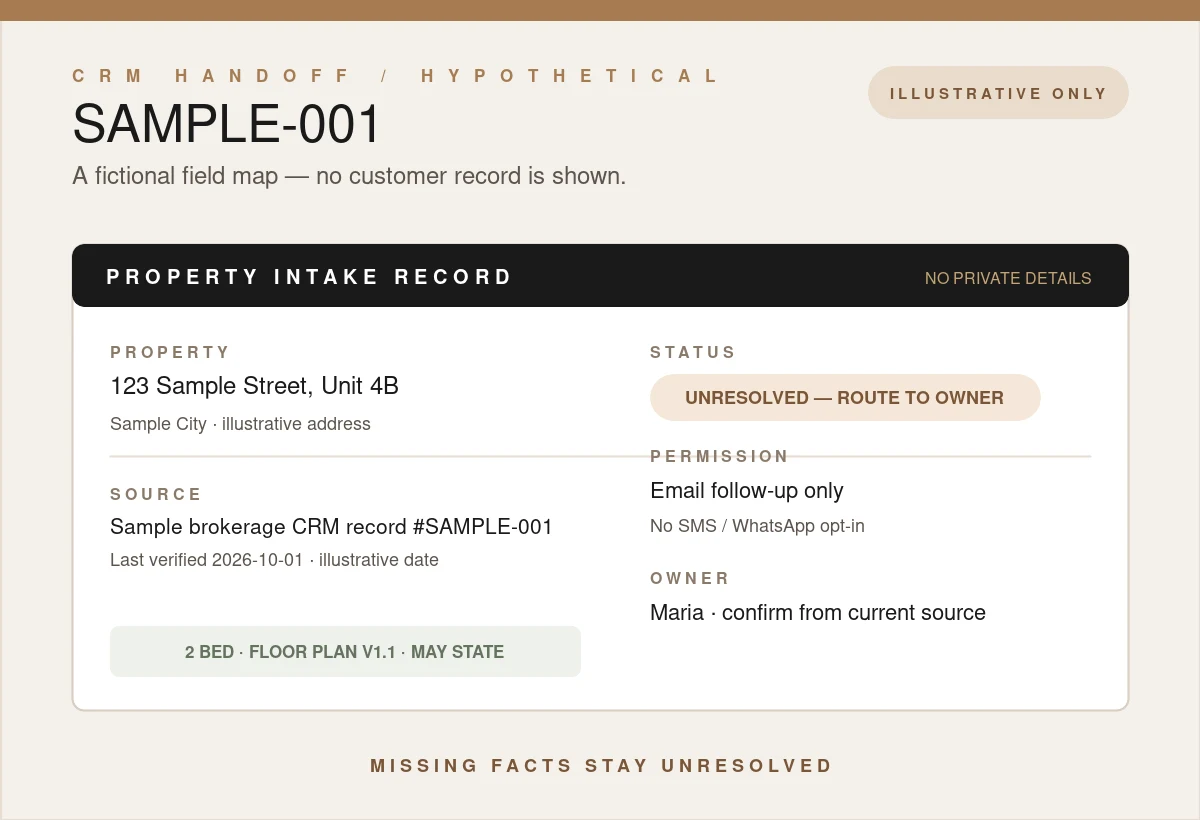
The example below shows what a completed brief can look like without pretending to describe a real listing. Keep the label when you reuse the structure in training, QA, or a planning document. A fictional value is useful for checking the handoff; it is not evidence about a property.
- Property
- 123 Sample Street, Unit 4B, Sample City — ILLUSTRATIVE ONLY
- Source
- Sample brokerage CRM record #SAMPLE-001, last verified 2026-10-01 (illustrative)
- May state
- 2-bed layout per attached floor plan v1.1; showing by confirmation only Tuesday and Thursday afternoons; contact owner Maria for confirmation.
- Do not state
- Price, HOA, availability date, views, and upgrades — marked “Unresolved — route to owner” in this example.
- Permissions
- Email follow-up only; no SMS or WhatsApp because there is no opt-in. Stop on reply STOP or an owner flag.
- Assets
- Three owner-approved photos, SAMPLE-01.jpg to SAMPLE-03.jpg; no stock used as unit photos.
The handoff script should be just as explicit as the fields:
“I don't have a verified answer for that yet. I've noted your question for Maria, who can confirm from the current source. May we follow up by email?”
Copy that block for each listing. One brief per property. If the answer changes, update the source record, verification date, and affected asset together; do not quietly patch a sentence in a prompt and leave the record behind.

4. Connect it to PropBot Studio
The brief becomes useful when it is carried into the first interaction and the next human decision. PropBot Studio’s public demos show the kinds of boundaries to inspect: source limits, qualification, privacy, analytics, conversation flow, and human handoff. They are demonstrations, not proof that a production connection is active for your team. Confirm access, licensing, consent, and ownership during discovery.
- Free AI Chatbot Demo — run eight tests for qualification, source limits, privacy, and human handoff with a scorecard.
- CRM Dashboard — inspect lead management, AI scoring, and analytics in the demo.
- Voice Agent — follow the simulated phone conversation flow and its handoff point.
- Operation records — keep inquiry source, contact permission, qualification, property evidence, showing request, ownership, escalation, and follow-up stop visible.
- Buyer consent workflow — use the existing consent guidance when channel permissions are part of the brief.
Relevant solution guides can then be scoped around the actual brief: AI chatbot, CRM automation, showing scheduling, voice agents, property data, and follow-up automation. The links are starting points for discovery, not promises that an integration is already connected.
5. The next useful step
Complete the brief, verify access and consent in discovery, then automate. Missing facts stay unresolved until the named owner approves them. That is how intake stays sourced and reviewable: the assistant can move quickly without turning an unknown into a claim.
Bring one listing and its source record. We will map facts, permissions, and handoff before any production automation is promised.
Start a Conversation
Bring one property-content brief and the source record behind it. We can map the first useful handoff while keeping unresolved facts visible.
Start a Conversation